FrequentPlay Discord Bot
Albion market prices, builds and player stats, plus guilds, groups and events for every game. Right inside Discord, free.
Works in your server, in DMs, and in any server once you add it to your account.
you used /price

Frequent PlayAPPToday at 18:04
Albion market · Europe
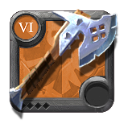
T6 Battleaxe
- 🟢 Martlock: 54,500 silver · 2h ago
- ▫️ Bridgewatch: 56,900 silver · 1h ago
- ▫️ Caerleon: 61,000 silver · 3h ago
- ▫️ Lymhurst: 62,300 silver · 5h ago
📈 Typical price this week: 56k silver
frequentplay.com
Start in 3 steps
- 1
Press Add to Discord
Discord opens and asks where to add the bot. Pick Add to server for your guild, or Add to my apps to use it anywhere.
- 2
Press Authorize
That's all the setup there is. The bot can only answer commands, nothing else.
- 3
Type / in any channel
A list of commands pops up. Pick one, fill in the box (like the item name) and press Enter.
Never typed a command? On a computer, press the / key in the message box. On a phone, type / the same way, or tap the + next to the message box and choose Apps. Start typing the command's name, tap it, and Discord shows you the boxes to fill in. When you start typing an item or build, the bot suggests names, so you can just tap one.
Albion Online commands
Live market data and builds, so nobody in your guild has to leave Discord to check a price.
/price
Market prices for any weapon, armor, food or potion, in every city.
Type
/price item: Battleaxe tier: 6You get: The cheapest price in each city, how fresh it is, and the usual price this week.
/build
A full build guide with every gear piece and what the whole set costs right now.
Type
/build name: BloodletterYou get: The gear for each slot, the price of each piece, the total, and a link to the full guide.
/albion
Any in-game character: kill fame, death fame, PvE, gathering and crafting.
Type
/albion name: Script96You get: Their guild and alliance, all their fame numbers and their fame ratio.
Commands for every game
Find people to play with, straight from the FrequentPlay site.
/lfg
The newest looking-for-group posts.
Type
/lfg game: Albion OnlineYou get: Open groups you can join, with a link to each post.
/events
Upcoming tournaments and community events.
Type
/eventsYou get: What's coming up, when it starts, and how many spots are left.
/guild
A guild's page from FrequentPlay.
Type
/guild name: Frequent PlayYou get: Members, whether they're recruiting, and a button to apply.
/player
A player's FrequentPlay profile.
Type
/player name: scriptYou get: Their level, games and guild.
/game
A game's hub: guilds, groups and players.
Type
/game game: Albion OnlineYou get: How many guilds and players there are, and where to find them.
/team
A team's page from FrequentPlay.
Type
/team name: your teamYou get: Members and how to join.
You can also right-click anyone in Discord, open Apps, and choose FrequentPlay profile to see their profile.
Questions
Is the FrequentPlay bot free?
Yes. Every command is free, and there is nothing to set up or pay for.
What permissions does the bot need?
Only permission to answer commands. It can't read your messages, manage your server or see private channels.
I can't add it to my server. Why?
Adding a bot to a server needs the Manage Server permission. If you don't have it, pick "Add to my apps" instead. The commands then work for you in every server and in DMs.
Which Albion servers does /price cover?
Europe, Americas (West) and Asia (East). Europe is the default; pick another with the server option.
Where do the Albion market prices come from?
From the Albion Online Data Project, where players share the prices they see in game. Each price shows how old it is, so you know how fresh it is.
Is the bot allowed by Albion Online's rules?
Yes. It only reads public data: market prices from the Albion Online Data Project and character stats from Albion's public game info. It never touches your game or your account.
Does it work for games other than Albion?
Yes. /lfg, /events, /guild, /team, /player and /game work for every game on FrequentPlay. Albion has extra tools because it's the first game we support.
How do I remove the bot?
In Discord, open Server Settings, then Integrations, pick FrequentPlay and press Remove. If you added it to your own account, open User Settings, then Authorized Apps.
Bring the bot to your guild
Add it in two clicks, then come say hi in our server. That's where updates, events and the build library live.
Looking for builds instead? See the best Albion Online builds.